Wednesday, April 30, 2008

Asynchronous workflows in F#

Work has been really busy and I haven't had time to work on any of my side projects until last night, when I had chance to play with asynchronous workflows in F#. I've been wanting to explore to a greater extent what is out there in the world of concurrent and distributed computing, but in order to get started I needed to find some project that would be the catalyst. Not that having a project is absolutely necessary but it helps keep me on task and focused towards an end goal. Some of the ideas I've been tossing around were creating an engine to decrypt/encrypt PGP MIME messages, or build a better load/stress engine, both of which require a large up-front investment of time.

After about a week of going nowhere I stumbled upon the idea of doing swarm animations, and possibly throw in some additional AI behavior if I had time. The thing about doing swarm animations is that each entity in the swarm needs to move in relation to each of it's neighbors which involves a nearest neighbor search, one of those computationally costly and hard to tackle problems. I'm going to start with a really naive brute force approach and evolve it over time, into something more efficient. One of the things that I've been looking at is the Stolfi and Guibas method for creating Voronoi diagrams in order to speed up the nearest neighbor search. It's a divide an conquer algorithm so it should lend itself to parallelization, but that comes later, today I start with asynchronous workflows. The bit of code below had the following runtime on my Dell D620 dual-core laptop when executed using fsi:

Async time: 00:00:34.7309424
Sync time: 00:00:40.1761800
let largest = 800;;

type point = {
    x : double;
    y : double;
}

let rand = new Random();;

let rand_double(max) = 
  System.Convert.ToDouble(rand.Next(max - 1)) + rand.NextDouble();;

let rec quick_sort(x) =
  match x with
  | pivot :: rest ->
      let left, right = List.partition (( > ) pivot) rest in
      quick_sort left @ pivot :: quick_sort right
  | [] -> [];;

let distance(p1, p2) =
  Math.Sqrt(Math.Abs(((p1.x - p2.x) ** 2.0) - ((p1.y - p2.y) ** 2.0)));;

let time(f) =
  let start = DateTime.Now in
  f();
  DateTime.Now - start;;

let neighbors(p, pl) = 
  [for n in pl -> (distance(n, p), n)];;

let async_neighbors(p, pl) = 
  let a = Async.Parallel[for n in pl -> async {return (distance(n, p), n)}] in
  Async.Run(a);;

let sync_test() =
  let pl = [for x in 1..5000 -> {x=rand_double(largest);y=rand_double(largest)}] in
  [for p in pl -> neighbors(p, pl)] |> ignore;;

let async_test() = 
  let pl = [for x in 1..5000 -> {x=rand_double(largest);y=rand_double(largest)}] in
  let a = Async.Parallel[for p in pl -> async { return neighbors(p, pl) }] in
  Async.Run(a) |> ignore;;

let async_test2() = 
  let pl = [for x in 1..5000 -> {x=rand_double(largest);y=rand_double(largest)}] in
  let a = Async.Parallel[for p in pl -> async { return async_neighbors(p, pl) }] in
  Async.Run(a) |> ignore;;  

let cleanup() = 
  GC.Collect();
  GC.WaitForPendingFinalizers();;

do Console.WriteLine("Async time: " + any_to_string(time(async_test)));;  
do cleanup();;
do Console.WriteLine("Sync time: " + any_to_string(time(sync_test)));;

Thursday, April 3, 2008

Calling asynchronous Twisted Python code from a blocking function

So I had to write a VAPI-XP test for Mercury/HP Quality Center, and the way that this particular test type works is that you write a script in Python, VBScript, or Perl. This script must have a TestMain function that is called and as soon as that function exits the test is over and everything exits. This test had to SSH into one of the machines in our virtualized test bed, and tell the machine to netboot in order to pick up the newest build of our server product.

I could have just used a call to os.popen() to some SSH client on our intermediary testing host but I had have bad experiences with that in the past, mostly weird behavior with OpenSSH and plink. I had written some SSH code with the Twisted module Conch before so I decided to just go ahead and use that. So got the SSH code up and running no problem, but how was I to block execution until the event was triggered letting me know that the session was complete? Furthermore how was I going to get my data back without doing something dirty like a global variable?

I talked to some guys on IRC and came up with the solution below. The SSH code itself isn't that interesting and I've only really included it for completeness the important bits to note is the call to "threads.blockingCallFromThread" in RunSSHCommand and note that I'm passing the deferred that I create in "_runSSHCommand" through each of the SSH classes (usually 'd' or 'self._d') and that it is finally being called in the method "CommandChannel.closed".

#!/usr/bin/python

class ClientTransport(transport.SSHClientTransport):

   def __init__(self, user, command, d):
       self._user = user
       self._command = command
       self._d = d

   def verifyHostKey(self, pubKey, fingerprint):
       #we don't care accept any host key
       return defer.succeed(1)

   def connectionSecure(self):
       #connection made, instiantiate the class that will handle authentication
       #and pass an instance of the class that embodies the user behavior as a param
       self.requestService(ClientUserAuth(self._user, ClientConnection(self._command, self._d)))


class ClientUserAuth(userauth.SSHUserAuthClient):

   def getPassword(self, prompt = None):
       # this says we won't do password authentication        
       return

   def getPublicKey(self):
       #return the public key which is defined up top as a string
       return keys.getPublicKeyString(data=SSH_PUB_KEY)

   def getPrivateKey(self):
       #return the pricate key which is also defined up top as a string
       return defer.succeed(keys.getPrivateKeyObject(data=SSH_PRIV_KEY))


class ClientConnection(connection.SSHConnection):

   def __init__(self, cmd, d, *args, **kwargs):
       connection.SSHConnection.__init__(self)
       self._command = cmd
       self._d = d


   def serviceStarted(self):
       self.openChannel(CommandChannel(self._command, self._d, conn=self))


class CommandChannel(channel.SSHChannel):
   name = 'session'

   def __init__(self, command, d, *args, **kwargs):
       channel.SSHChannel.__init__(self, *args, **kwargs)
       self.command = command
       self.d = d
       self.data = ""

   def channelOpen(self, data):
       #send an execute request passing the user supplied string.
       self.conn.sendRequest(self,
                             'exec',
                             common.NS(self.command),
                             wantReply=True
                             ).addCallback(self._gotResponse)

   def _gotResponse(self, _):
       #command has returned, send an EOF in order to terminate the connection
       self.conn.sendEOF(self)

   def dataReceived(self, data):
       #append the output data to the string
       self.data = self.data + data

   def closed(self):
       #connection closed, execute the callback on the deferred
       #that we have been passing around
       self.d.callback(self.data)


class ClientCommandFactory(protocol.ClientFactory):
   #factory class for our SSH protocol
  
   def __init__(self, user, command, d):
       self._user = user
       self._command = command
       self._d = d

   def buildProtocol(self, addr):
       protocol = ClientTransport(self._user, self._command, self._d)
       return protocol


def RunSSHCommand(hostname, port, user, cmd):
   #Run an SSH command as a user on a given host, we only use key authentication
   thread.start_new_thread(reactor.run, (False,))
   try:
       return threads.blockingCallFromThread(reactor, _runSSHCommand, hostname, port, user, cmd)
   except:
       return None
  
   reactor.stop()

def _runSSHCommand(hostname, port, user, cmd):
   d = defer.Deferred()
   factory = ClientCommandFactory(user, cmd, d)   
   reactor.connectTCP(hostname, 22, factory)
   return d
  

if __name__ == "__main__":
   RunSSHCommand(hostname, port, user, "register_netboot")

Formatting code for HTML

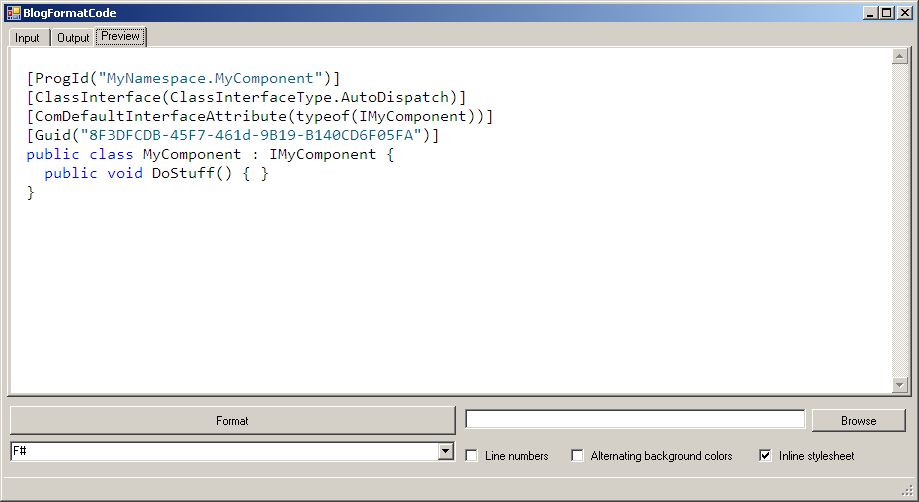
This being my first blog I didn't have any tricks in my bag for formatting code. After some Google searching I only found two projects that looked useful. The first being this project which wasn't language aware and couldn't do any syntax highlighting. The second more promising project was this one and fortunately he posted the C# source for his library. Only problem is that it didn't support F# or Python. I went ahead and added support for those two languages, created a front end for the thing and added support for user specified CSS documents. In addition to exposing most of the built-in functionality my app has a preview mode which will display the formatted code in an embedded IE pane. I've posted my version of the library here, and I've also made available a pre-compiled binary.